Getting started
Installation and quick start

Declare once. Run anywhere. Keep the evidence.




Website · Documentation · Releases · Specification
Reproducible LLM inference experiments. A committed workspace fixes the shareable baseline — stacks, named servers and cases, recipes, and eval/bench definitions. A git-ignored local bindings file supplies machine-private facts (model weights, machines, devices, ports, and placement). Managed serving, measurement, and image-build workflows write durable, file-first records you can inspect, compare, and reproduce.
- Serve lifecycles — long-running framework servers, single-role or prefill/decode disaggregated across machines, with readiness, logs, and verified cleanup in the record.
- Five framework integrations — vLLM, SGLang, TensorRT-LLM, TokenSpeed, and the reusable Specialized Engine contract behind one typed adapter protocol.
- Closed-loop recipes — serve + eval (lm-eval) + bench (AIPerf) suites in one command, with per-case metrics and raw artifacts preserved.
- Measurements — native and lm-eval Evals including vision smoke; serving
Benches over random, corpus, replay, and image-decorated request sources,
linear sessions, and SemiAnalysis AgentX agentic trace replay; standalone
inferlab benchagainst a running server. - Runtime images — build and validate OCI images from the workspace, or
select a digest-pinned external image, then launch servers, recipes, and
ad-hoc
inferlab runcommands from them. - Profiling — attach managed Nsight Systems collection or engine-native traces to selected workloads.
- Source identity — records carry the workspace revision and a source digest; a run from a clean workspace with no local definitions is reproducible from a fresh checkout.
- Operator journal — an append-only scratchpad on the same time axis as the records.
- View-only TUI — one responsive workspace console for declared definitions, concurrent CLI work, records, referenced logs, and journal context.
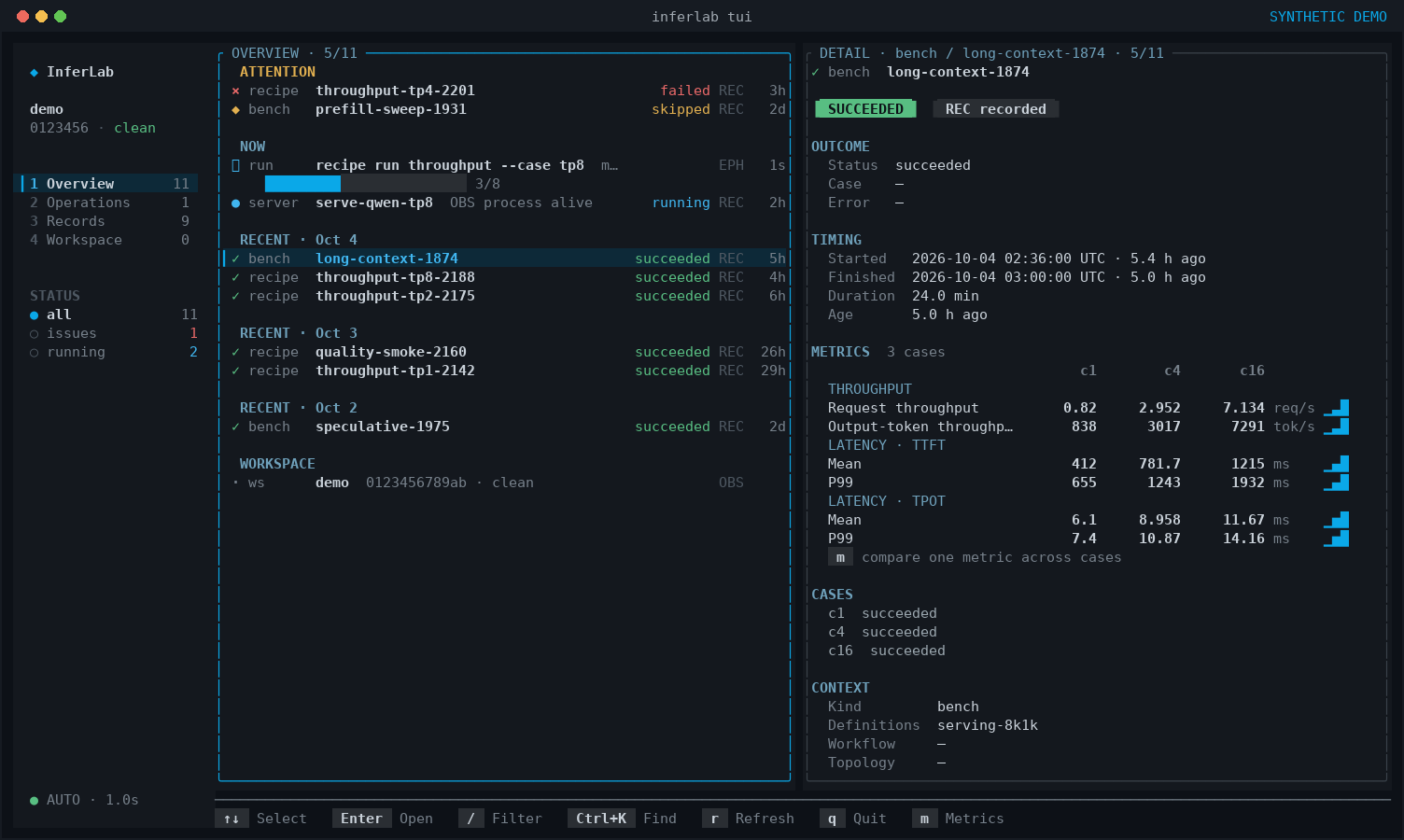
Rendered by the real InferLab TUI with synthetic demo data; no local workspace or machine identifiers are shown.
- Web console — the same views in a browser over several workspaces, Bench comparison across records, and serve, recipe, bench, and journal workflows launched as detached CLI jobs behind a per-start access token.
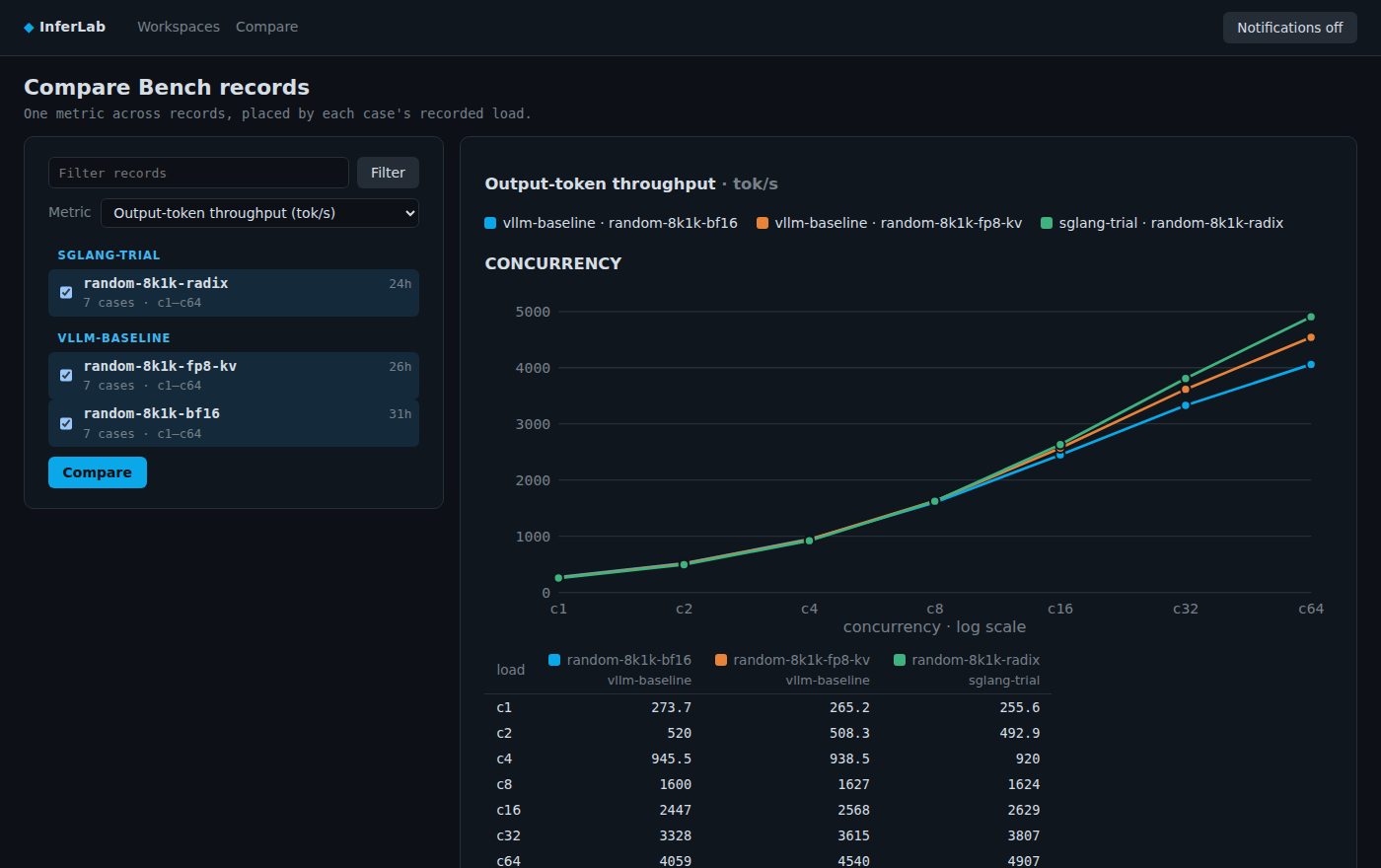
Rendered by the real InferLab web console with synthetic demo data; no local workspace or machine identifiers are shown.
Install
Section titled “Install”Download a release binary (x86_64 / aarch64 Linux):
curl -fsSL https://github.com/Infer-Lab/InferLab/releases/latest/download/install.sh | shOr install from the crates registry (Rust 1.89+):
cargo install inferlabOr build from a checkout with cargo install --path crates/inferlab. The
published library crates (inferlab-runtime, inferlab-profiler,
inferlab-protocol, inferlab-proxy, inferlab-serve-domain) exist to
build the binary; their APIs are experimental and carry no stability promise
yet.
inferlab --version prints the adapter protocol line the binary speaks; the
backend support correspondence table names the
Adapter SDK and integration packages a workspace pins for it.
Agent skill
Section titled “Agent skill”InferLab ships an operator skill for Claude Code and Codex, embedded in the binary at the same version — no checkout or network access needed:
inferlab agent install --agent all--from-checkout <DIR> overrides the source with a local checkout or
unpacked release plugin tarball, for testing an unreleased change.
Quick start
Section titled “Quick start”In a workspace (see docs/rfc/ for the full contract, starting at RFC-0001):
inferlab workspace show                     # validate and browse public definitions# write .inferlab/local.toml (copy .inferlab/local.example.toml when provided)pixi install --locked --all                 # realize every stack's selected Pixi environmentinferlab stack status                       # confirm environments and run declared stack checksinferlab toolchain install                  # for lm-eval Evals, serving Benches, or image package buildsinferlab tui                                # observe this workspace; never starts or changes workinferlab web                                # browser console; prints a tokenized local URL
inferlab recipe run my-recipe --dry-run     # validate placement, devices, commands, environmentinferlab recipe run my-recipe --case tp2    # closed loop: serve + eval/bench + cleanupinferlab serve start my-server --case tp2   # or drive the pieces manuallyinferlab bench random-8k1k --serve <ID>inferlab serve stop <ID>
inferlab toolchain install fetches the pinned measurement and image-packaging
packages, so it needs network access, and it must be rerun after upgrading
InferLab.
Non-dry-run recipe run, bench, and image build print JSON naming a
record under .inferlab/records/<ID>/, even when they fail; serve start
prints it only on success, and a start that fails after writing its record
names it in the error on stderr. --dry-run
on those commands resolves and validates without launching or writing one.
Documentation
Section titled “Documentation”- Product and documentation website: the searchable public entry point for current operator guidance, RFCs, and ADRs.
- Workspace authoring: public definitions, local bindings, heterogeneous P/D placement, typed patches, and dry-run.
- Backend support: maintained backend capabilities and integration package names.
- View-only TUI: workspace observation, source labels, views, keys, search, refresh, and stale-state semantics.
- Web console: browser access, registered workspaces, Bench comparison, launched jobs, and notifications.
- Specialized Engines: the reusable token-worker Engine contract for hardware-by-model specialized backends.
- RFC-0001 — Specification Overview And Authority Map: the entry point of the normative external contract; topic RFCs under docs/rfc/ own workspaces/stacks, servers/execution, measurements/toolchains, evidence, the integration protocol, runtime images, agent plugin distribution, runtime time bounds, the view-only TUI, the public website, and the web console.
- Architecture decisions: accepted ADRs plus superseded and rejected historical decisions.
plugins/inferlab/skills/inferlab/SKILL.md: the operator workflow, as taught to agents.
License
Section titled “License”MIT — see LICENSE; inferlab license prints the full text.